Brands03

Berlin, Germany

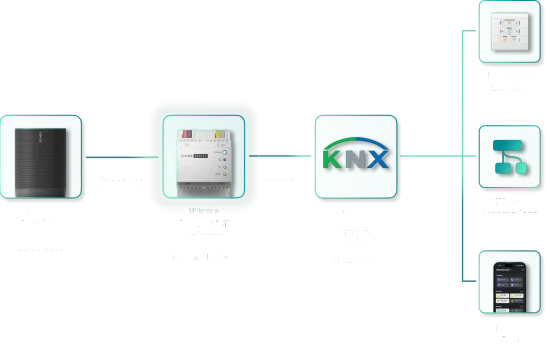
The 1Home Server connected to SmartThings, Matter, Sonos and KNX on one side and Google Home, Loxone, Apple Home and Amazon Alexa on the other

1Home

1Home lets you connect your existing KNX, Matter and Crestron automation. It brings KNX to Apple Home, Google Home, Amazon Alexa, Samsung SmartThings, Home Assistant and Crestron Home, runs locally, and leaves the system as it is.

1Home App

One app for the whole building.

1Home's own app connects straight to the 1Home Server. It works on the home network without internet, and over a secure connection when you're away.

Included with Server KNX Pro, Server CH and Voice & Visu · iOS and Android

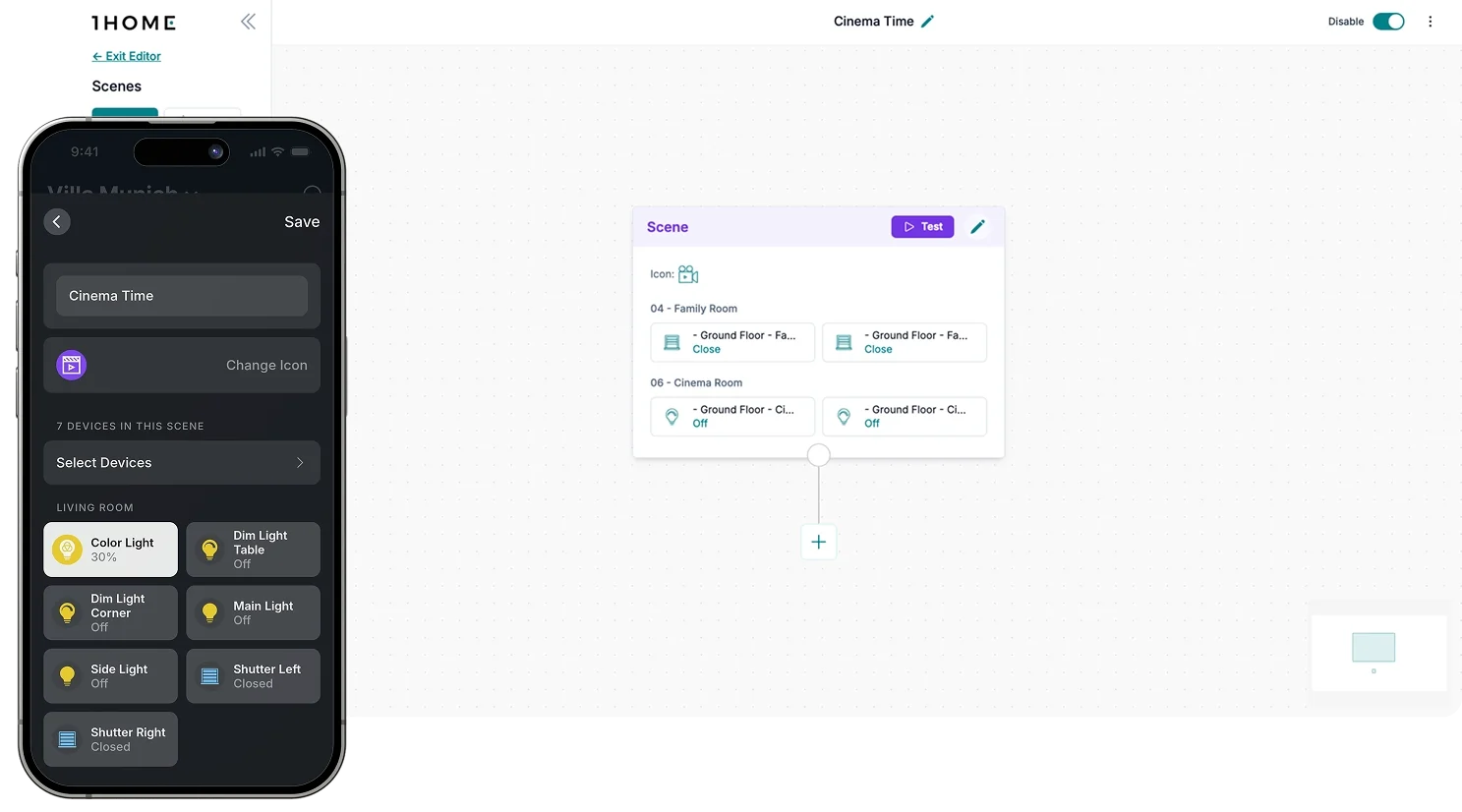
1Home Scenes: a Cinema Time scene set up in the 1Home App and in the 1Home Dashboard
New · 1Home Scenes, set up in the app or in detail in the 1Home Dashboard
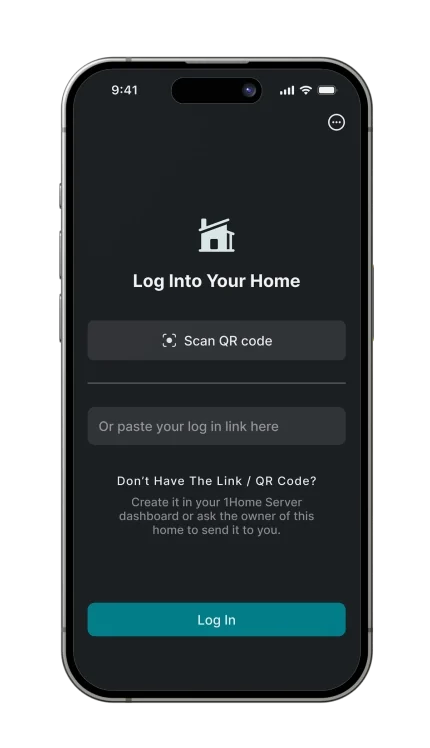
  • The 1Home App login screen with a Scan QR code buttonQuick and easy setupScan the QR code from the 1Home Dashboard to log in.
    • Works without internet: on the home network, with secure remote access when you're away
    • Sonos too: with Server KNX Pro, play, pause and volume for Sonos S2 speakers
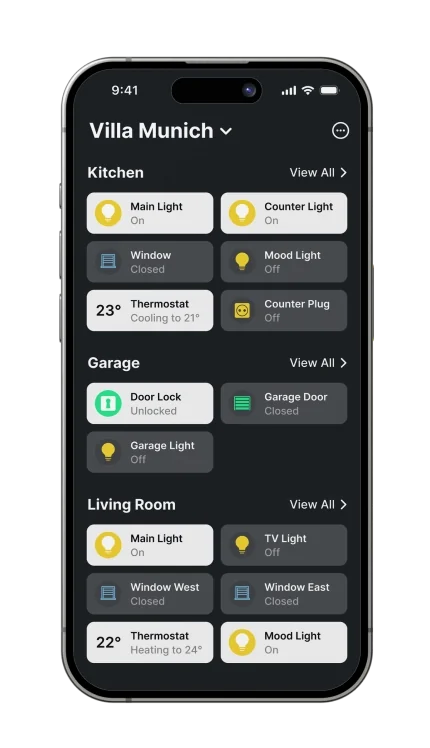
  • The 1Home App listing devices by roomClear device overviewEvery room and its devices on one screen.
    • Every device in one place: lights, blinds, climate, sensors, door locks, garage doors and sockets
    • Scenes: Cinema Time or Evening Mood, set up in the app or the 1Home Dashboard
    • Data from KNX: wind speed, electric current and device status alerts
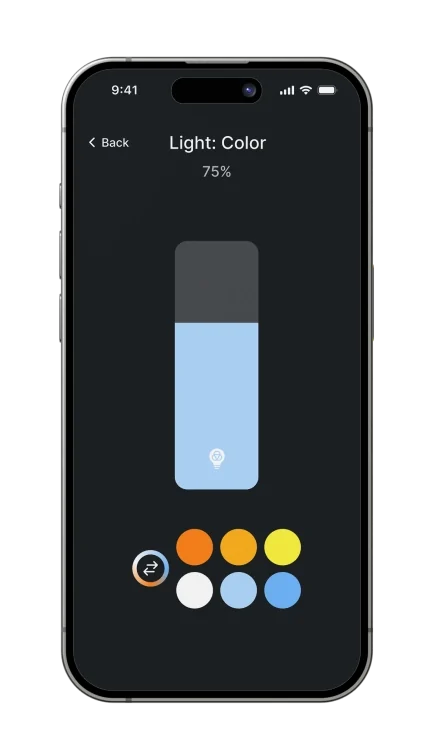
  • The 1Home App setting a light's brightness and colourFine-tune controlBrightness, colour and position, device by device.
    • Lights, blinds and climate: KNX and Matter side by side
    • Scenes: one tap to set a mood
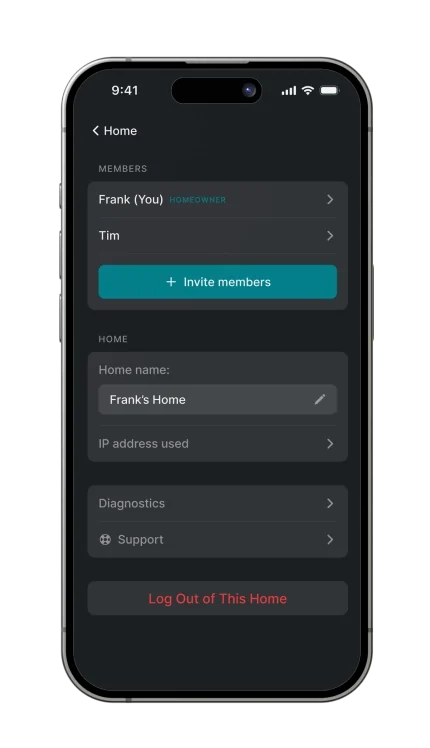
  • The 1Home App home settings with members and an Invite members buttonHome and user managementInvite members and manage each home.
    • Homes and users: manage each home and invite the people who use it
  • 01Every device in one placeLights, blinds, climate, sensors, door locks, garage doors and sockets, from KNX and Matter side by side.
  • 1Home Scenes in the app and the dashboard
    02ScenesMoods such as Cinema Time, Evening Mood or Dance Party, set up in the app or in more detail in the 1Home Dashboard.
  • 03Works without internetThe app talks straight to the Server on the home network, with secure remote access when you're away.
  • 04SonosPair a Sonos S2 account in the 1Home Dashboard. Play, pause, previous, next, a favourite and volume each get a KNX group address, so push-buttons and touch displays control the speakers. Needs internet, through the Sonos Cloud API. On Server KNX Pro and IoT Gateway.
  • 05Data from KNXGeneric KNX devices show values such as wind speed from a weather station and electric current on switch actuators, with alerts on device status.
  • 06Homes and usersManage each home, and invite the people who use it.
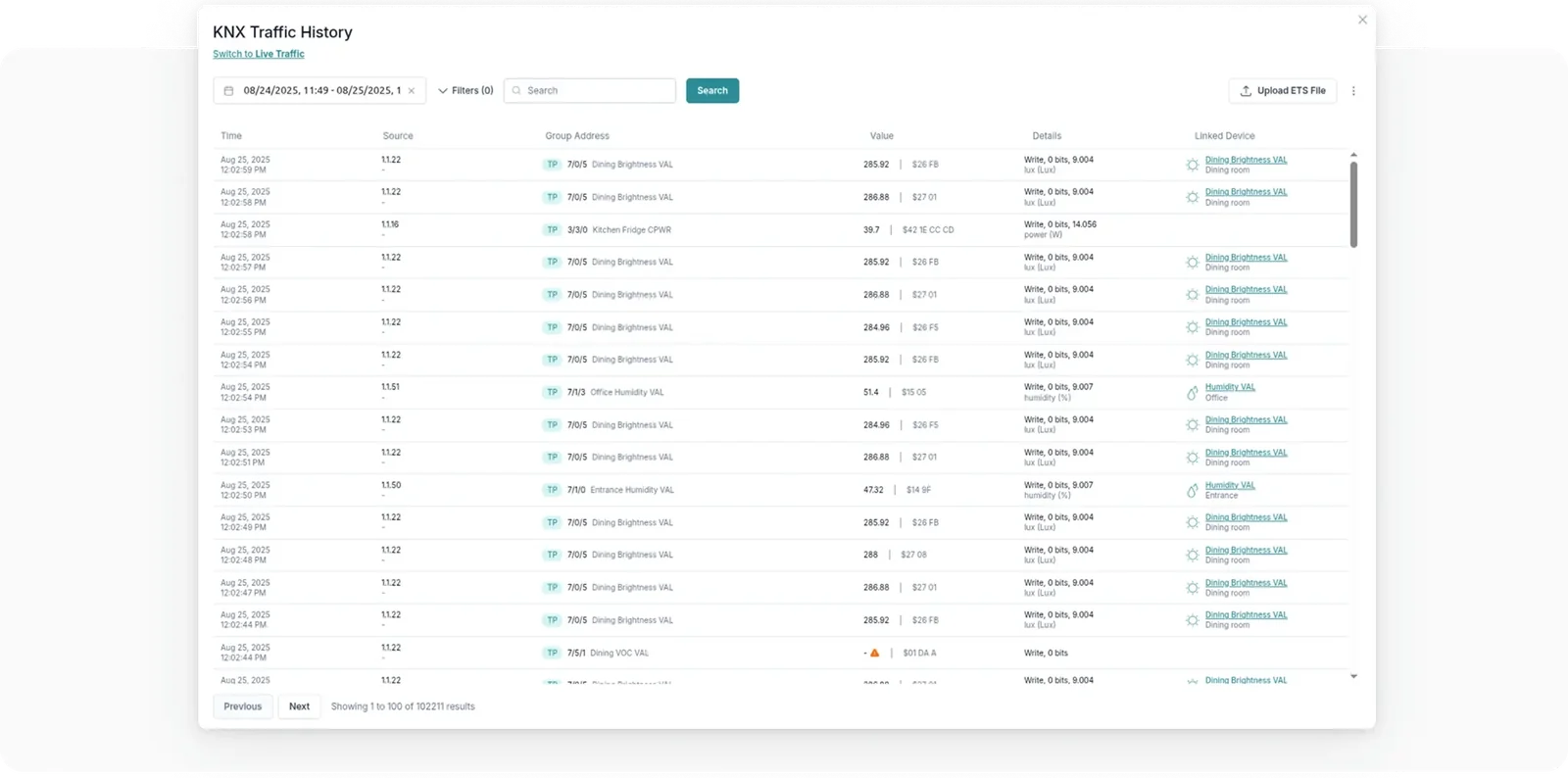
  • The KNX traffic history in the 1Home Dashboard
    07HistoryThe KNX traffic history and the System Monitor show what happened and when, such as which automations ran yesterday at 5pm. A Dashboard feature; the compare table shows which devices include it.
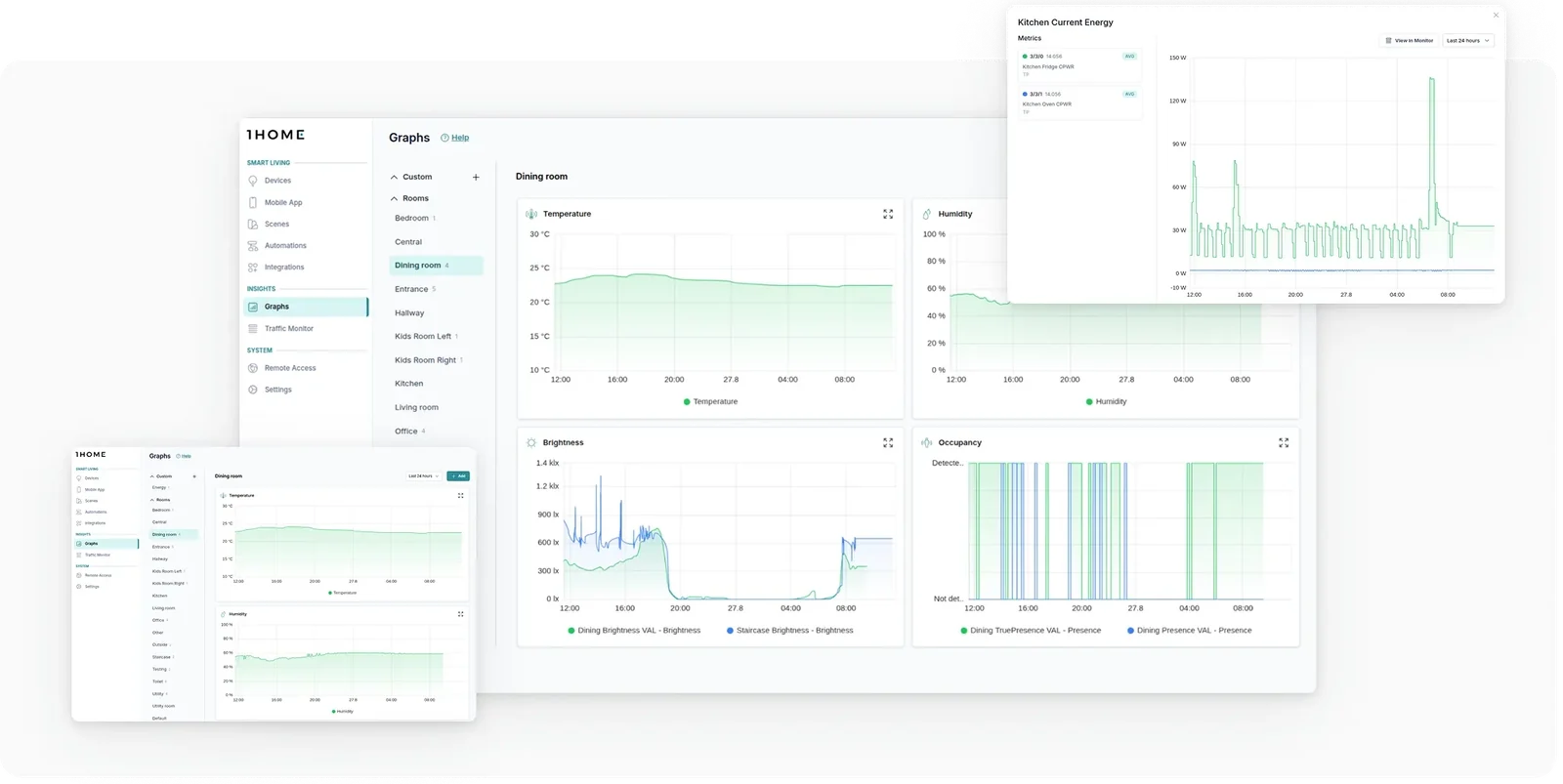
  • Graphs of temperature and humidity over time
    08Graphs & chartsValues such as temperature and humidity plotted over time, so you can see they stay in range. A Dashboard feature; the compare table shows which devices include it.
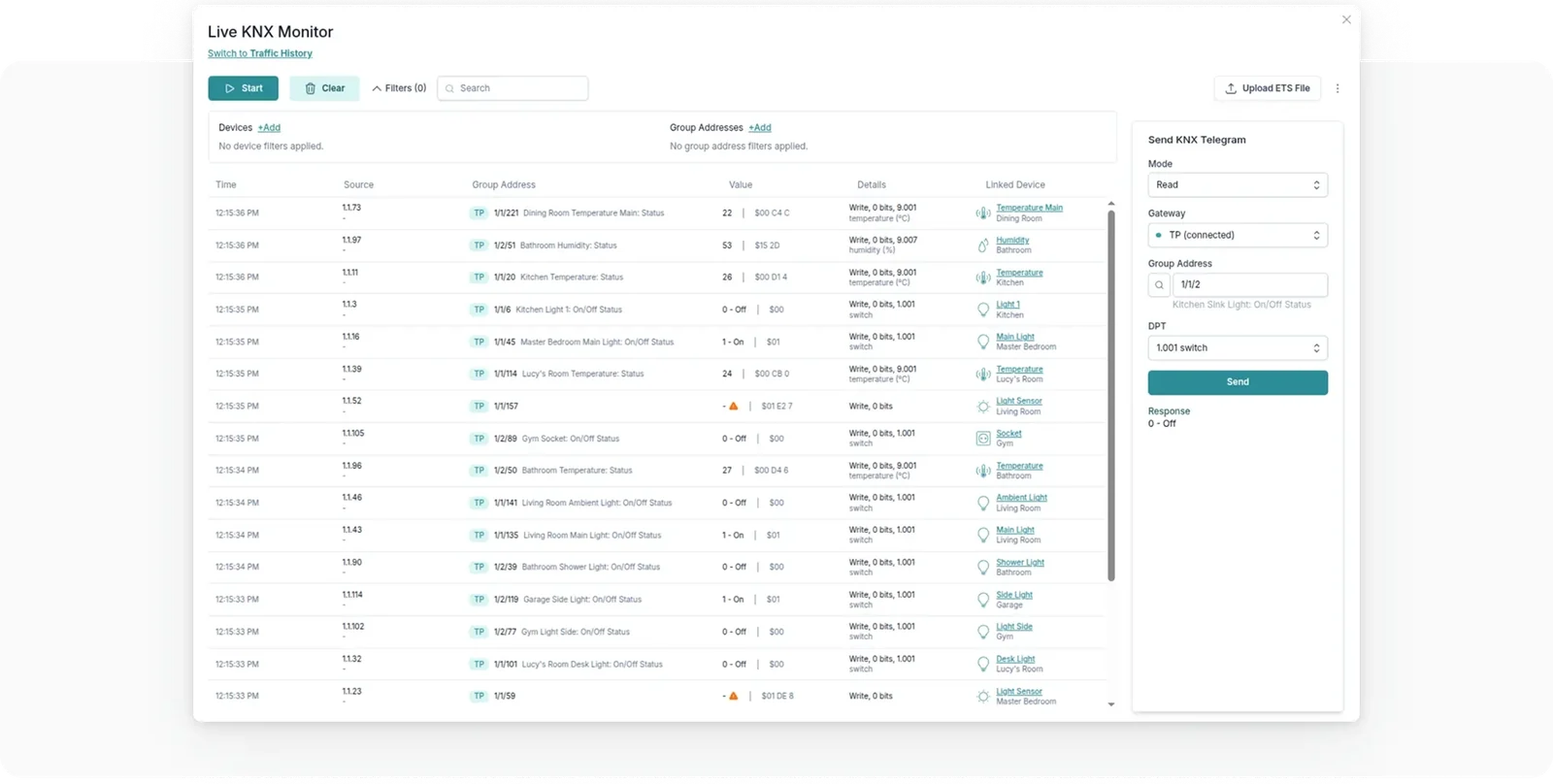
  • The live KNX group monitor
    09KNX monitor & diagnosticsA live group monitor shows all traffic on the bus, so a quick check needs no trip into ETS. A Dashboard feature; the compare table shows which devices include it.

Coming soon

On the way.

Three more features are coming to 1Home. Automatic health checks and advanced email alerting are planned for late 2026.

  • Advanced email alerting
  • KNX Data Secure support
  • Automatic health checks of the KNX installation

Home apps

Control the building from the app the household already uses.

Building System1Home App

Server KNX Pro, Server CH or Voice & Visu

1Home's own app connects straight to the 1Home Server. It controls every device in the 1Home Dashboard, on the home network or remotely over a secure connection.

  • Local or remote
The 1Home App on an iPhone listing the kitchen, garage and living room devices of a home

Integrator tools

Logic, remote programming and diagnostics, from one dashboard.

1Home DashboardLogic

Server KNX Pro, Server CH or System Manager

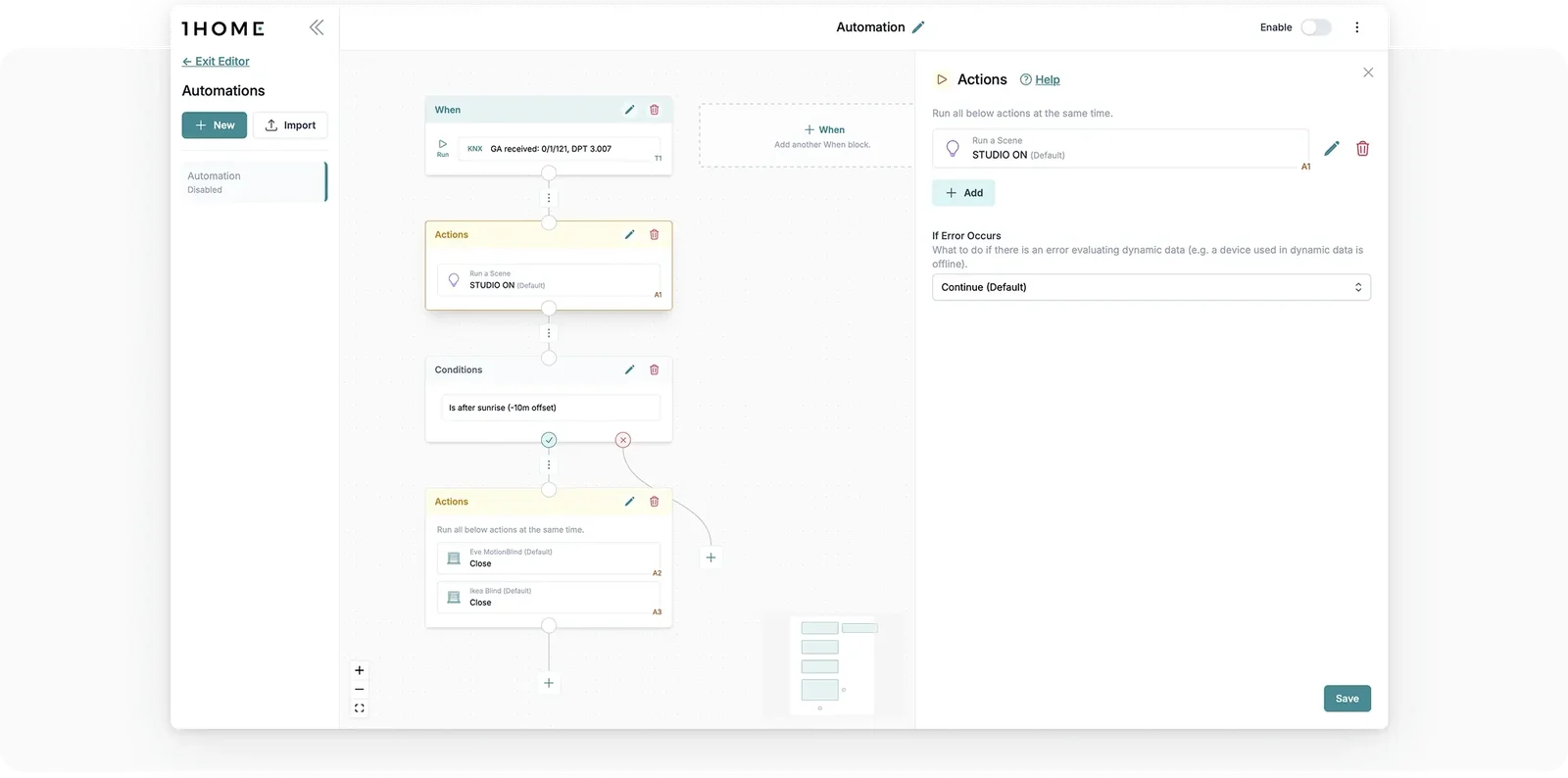
1Home Automations run fully locally on the 1Home Server. You build them in the local dashboard, and integrators can set them up remotely for their clients.

  • Runs locally
  • Lua scripting
  • Up to 150 automations

What you get

  • Triggers, conditions and actions. Set when an automation starts, check its conditions, then act on any device.
  • Delays and calculations. Wait between steps, and work out new values from system data.
  • Time-based logic: sunrise, sunset, timers and schedules, with AND / OR conditions, reading from and writing to KNX.
  • Lua scripting for requests the blocks don't cover.
  • KNX and Matter together on Server KNX Pro. A KNX push-button can set a Philips Hue scene, and a Nuki lock can start a welcome-home scene.
  • Run history, and automations you can reuse.
The 1Home Dashboard automation editor with trigger, condition and action blocks

1Home devices

Pick the device that fits the project, then see what each one does.

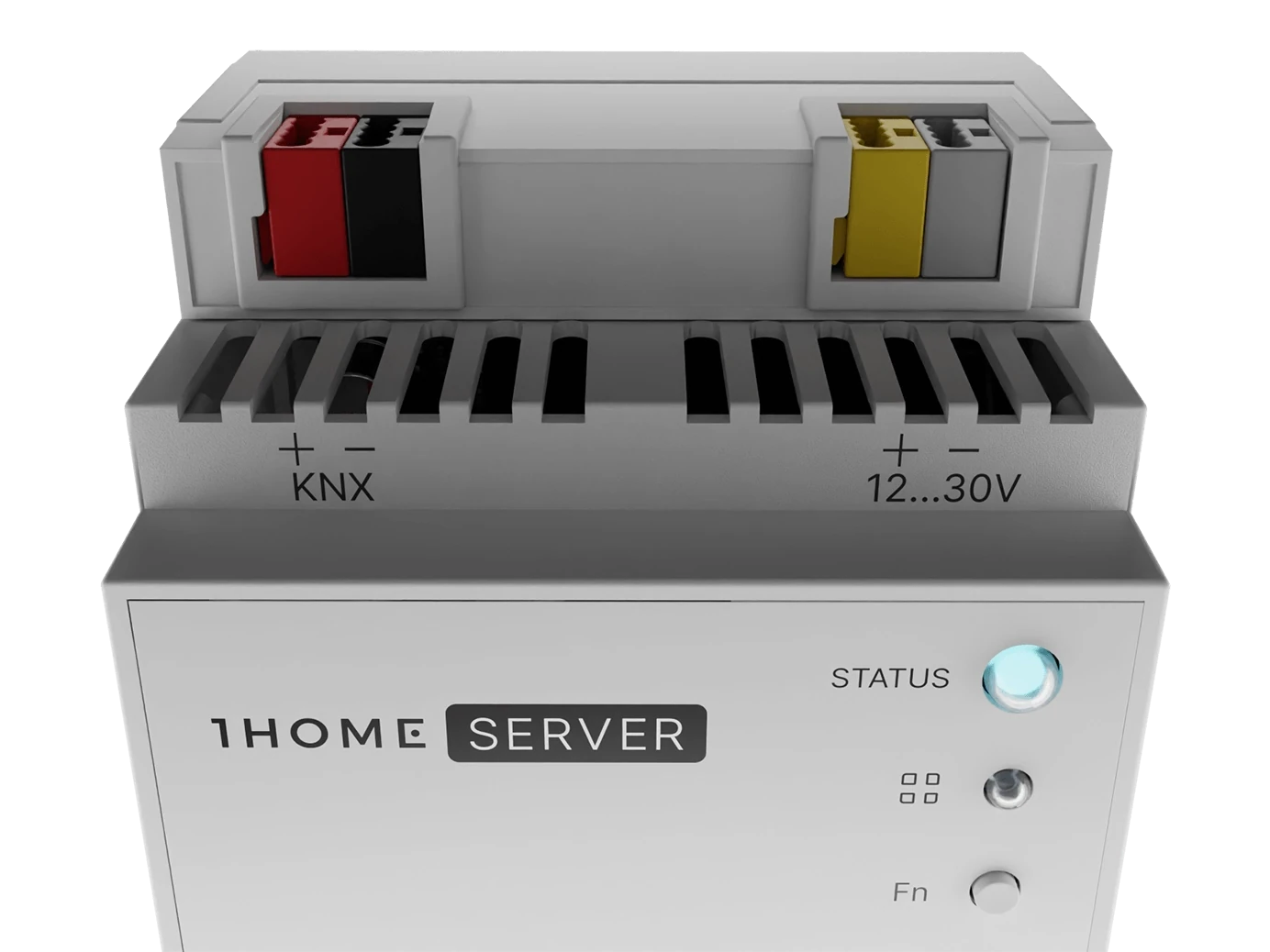
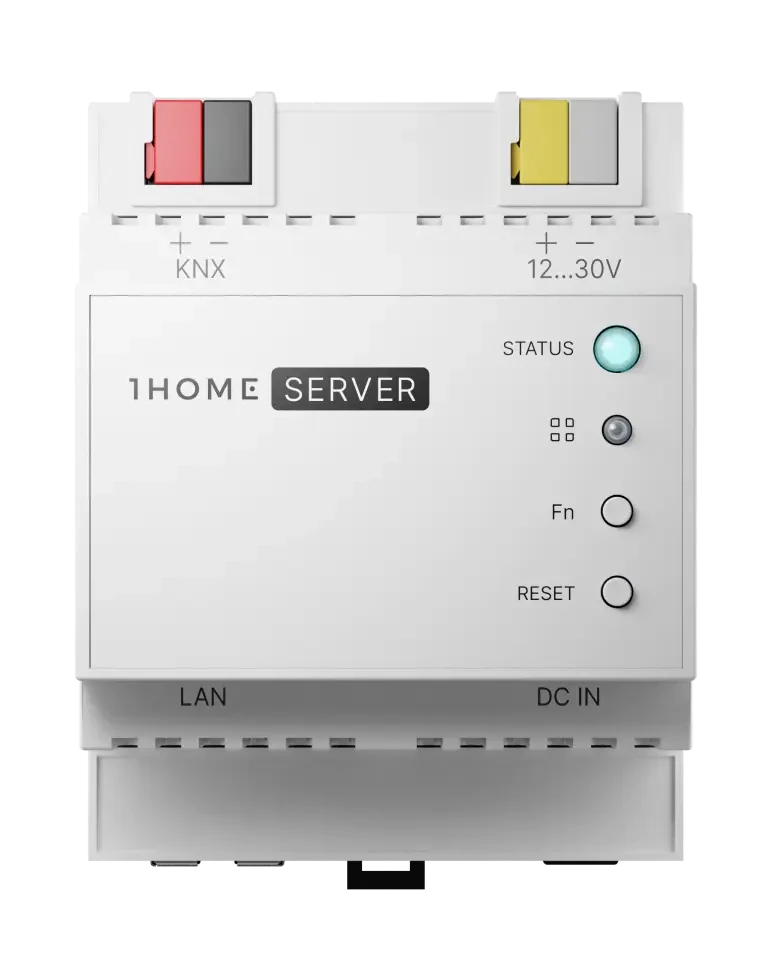
Front view of the 1Home Server KNX Pro DIN-rail module

Server KNX Pro

The full server, with voice control, automations and Matter devices brought into one system.

  • Automation bus to Matter, up to 250 devices
  • Matter into 1Home, up to 100 devices
  • Matter to the bus, up to 100 devices
  • Automations, up to 150, with Lua scripting
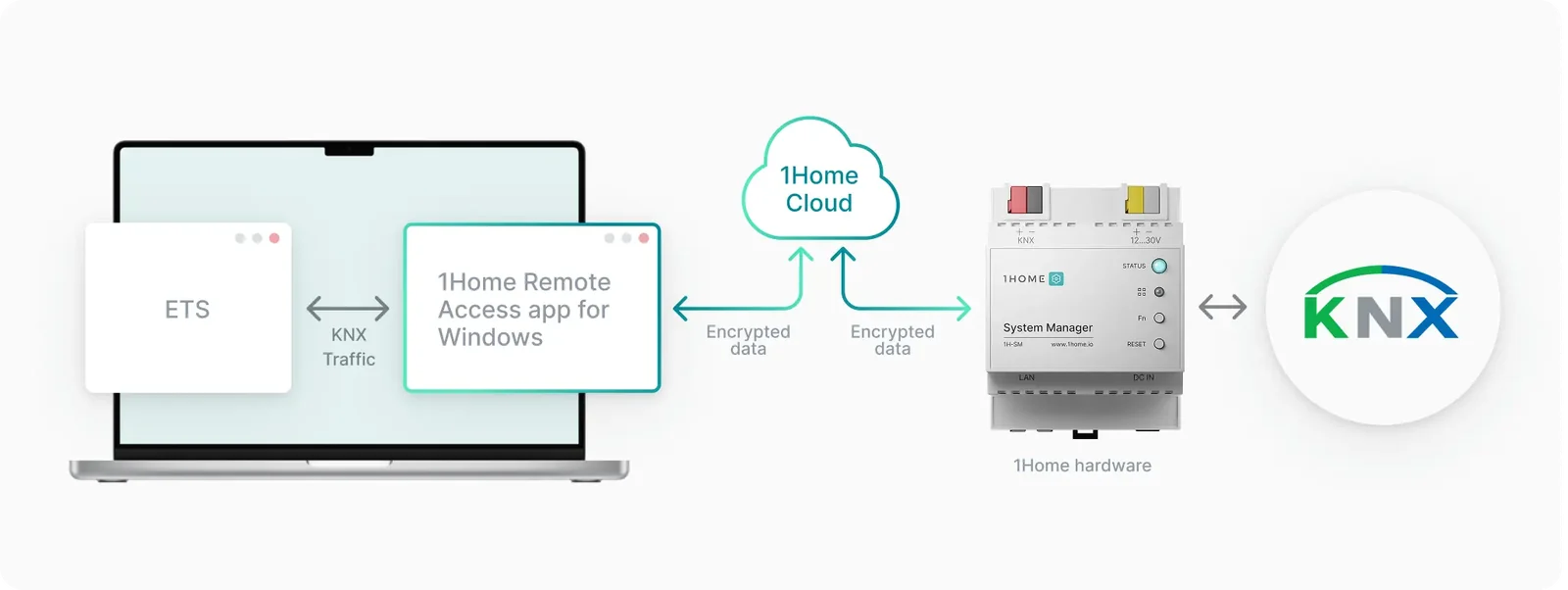
  • ETS secure remote programming
  • IP interface with 4 tunnels
  • Automatic ETS device detection
  • Crestron Home integration
  • Runs locally, no monthly recurring fees
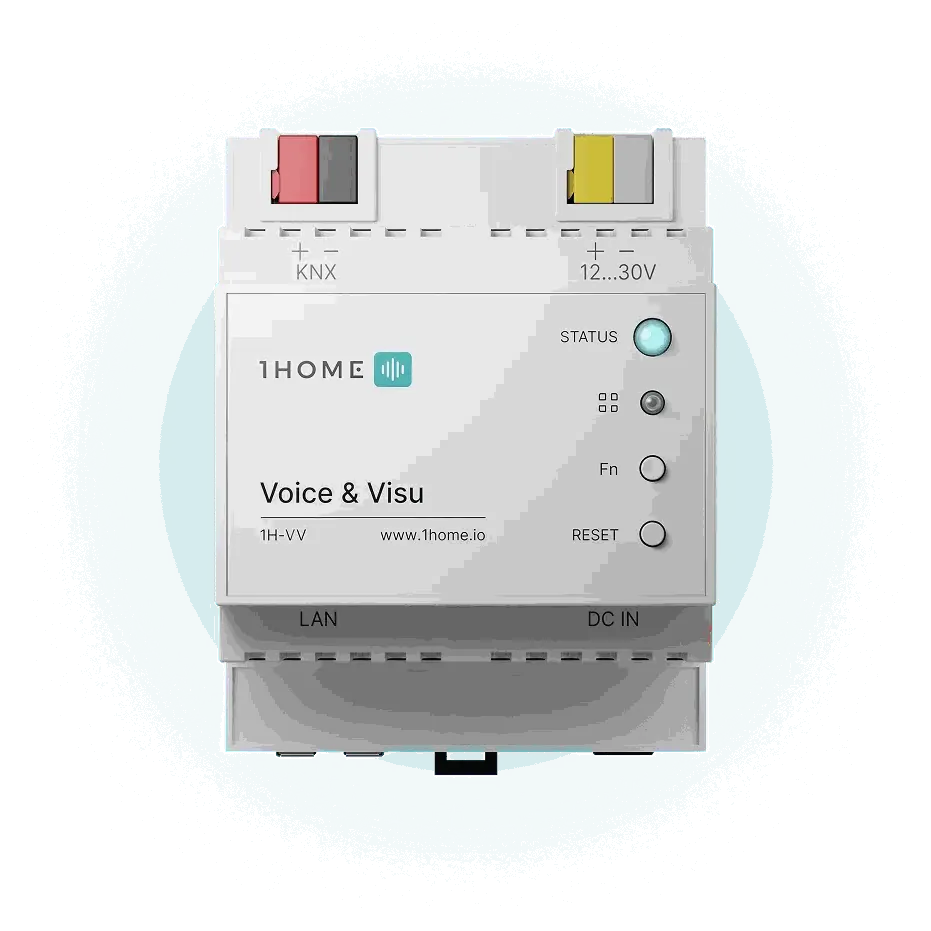
Front view of the 1Home Voice & Visu DIN-rail module

Voice & Visu

The simplest way to control the building's automation from Matter apps and voice assistants.

  • Automation bus to Matter, up to 250 devices
  • Unlimited bus devices in 1Home
  • IP interface with 4 tunnels
  • Automatic ETS device detection
  • Remote dashboard access
  • Runs locally, voice control needs internet
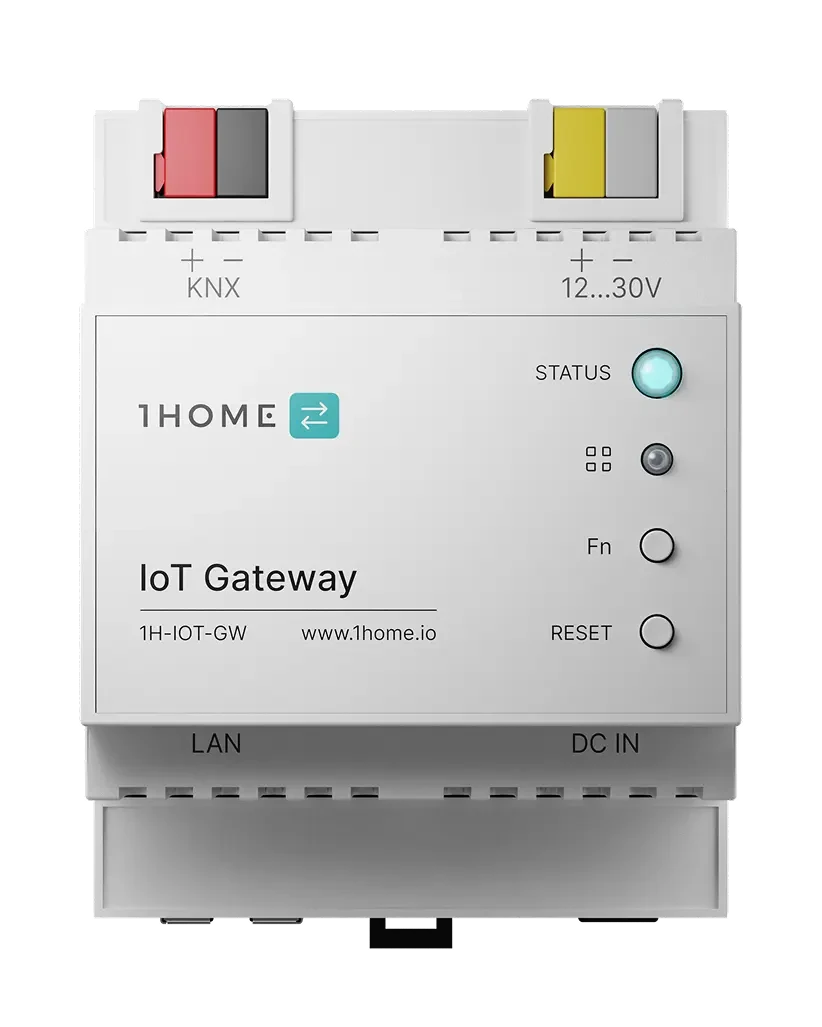
Front view of the 1Home IoT Gateway DIN-rail module

IoT Gateway

Gives consumer devices group addresses, so they work like any other device on the system.

  • Matter to the bus, up to 100 devices
  • Matter into 1Home, up to 100 devices
  • Automations, up to 30
  • IP interface with 4 tunnels
  • Sonos S2 control, needs internet
  • Remote dashboard access
  • Runs locally, no monthly recurring fees
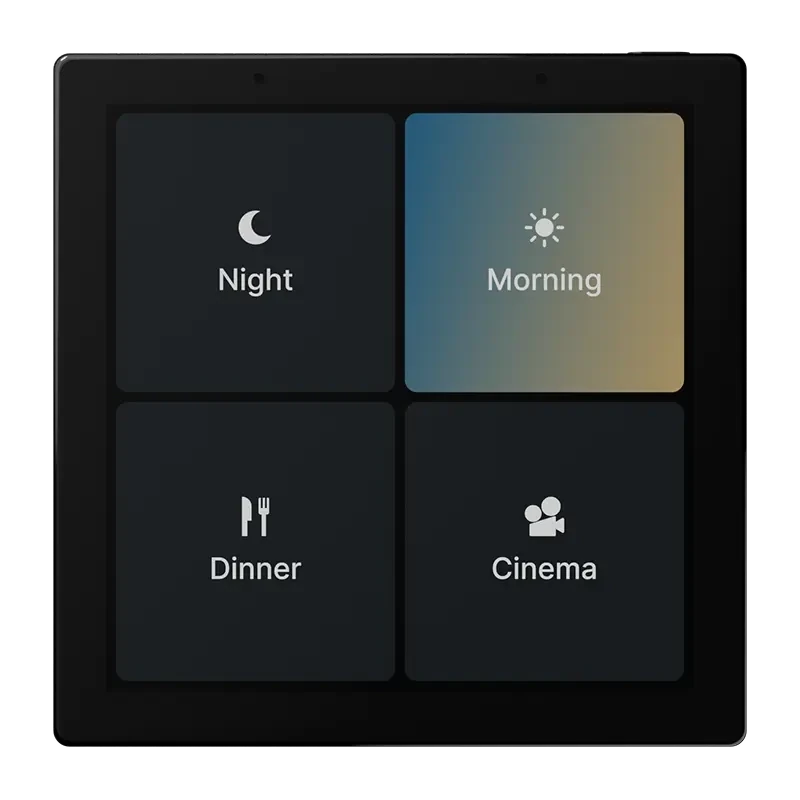
A 1Home Touch panel showing four scene tiles

Touch

A 4-inch in-wall panel that works as an extension of the 1Home Server, for scenes, music and intercom.

  • 4 inch, 480p display
  • 86 × 86 × 35 mm
  • PoE or auxiliary bus power
  • Wi-Fi and Ethernet
  • SIP intercom, including room to room
  • Scenes and music
  • Proximity sensor, speaker and microphone
  • Needs a 1Home Server
  • Pre-order · estimated shipping December 2026

Compare 1Home devices

How the 1Home devices compare. Coming soon marks features that aren't available yet. IoT Gateway and Touch are described above.

FeatureServer KNX ProServer CHVoice & VisuSystem Manager New
DescriptionEverything you need for a professional and modern KNX experience. For homes of all shapes and sizesAutomatically import, control, and sync KNX devices in Crestron Home. No extensive KNX knowledge requiredVoice control (Siri, Google Assistant, Alexa, ...) and mobile app (Apple Home, Google Home, 1Home app, ...) control for your KNX projectA purpose-built device for system integrators, with all the necessary tools to simplify the setup and maintenance of KNX projects.
General
Fully LocalYesYesYesYes
Privacy focused productYesYesYesYes
Smart home control
Voice control & assistant appsYesDevice limit 250NoYesDevice limit 250No
1Home mobile appYesYesYesNo
Automations (Logic module)YesLimit 150YesLimit 150NoYesLimit 150
ScenesYesNoYesNo
HistoryYesYesYesYes
Graphs & chartsYesNoYesYes
Advanced email alerting (coming soon)YesNoNoYes
Integrations
KNX
Direct KNX TP connectionYesYesYesYes
Integrate KNX devicesYesYesYesYes
Built in KNX IP interfaceYesYesYesYes
KNX data secure support (coming soon)YesYesYesYes
Automatic ETS device detectionYesYesYesYes
KNX Time serverYesYesYesYes
Auto detection of configuration issuesYesYesYesYes
Remote ETS programmingYesYesNoYes
Matter devices to KNX gatewayYesDevice limit 100NoNoNo
Advanced KNX logic module - via 1Home AutomationsYesAutomation limit 150YesAutomation limit 150NoYes
Health status of KNX installation (coming soon)YesNoNoYes
KNX Monitor and DiagnosticsYesYesNoYes
Crestron Home
Integrate KNX to Crestron HomeYesYesNoNo
Matter
Bridge devices from 1Home to Matter (Matter bridge)YesDevice limit 250NoYesDevice limit 250No
Integrate Matter devices to 1Home (Matter controller)YesDevice limit 100NoNoNo
Project management
Remote dashboard accessYesYesYesYes
Remote multi project management with your teamYesYesYesYes
Project config backupYesYesYesYes
Reusing configuration across many projectsYesYesYesYes
KNX system health check for all remote projectsYesNoNoYes

1Home's DIN-rail devices share one housing, 4 modules (72 mm) wide, with Gigabit Ethernet. The power supply and network cable are not included.

The older 1Home Bridge is out of stock. Server KNX Pro and Voice & Visu are the current devices.

The other direction

Consumer devices, programmed like the rest of the building.

With Server KNX Pro, a Matter device gets group addresses and is configured in ETS alongside everything else, so a push-button on the system can switch a Philips Hue light. The IoT Gateway does the same. A Matter bridge such as the Hue Bridge counts as one device.

Philips Hue · IKEA · Nuki · Nanoleaf · Eltako · Shelly · Eve · Aqara

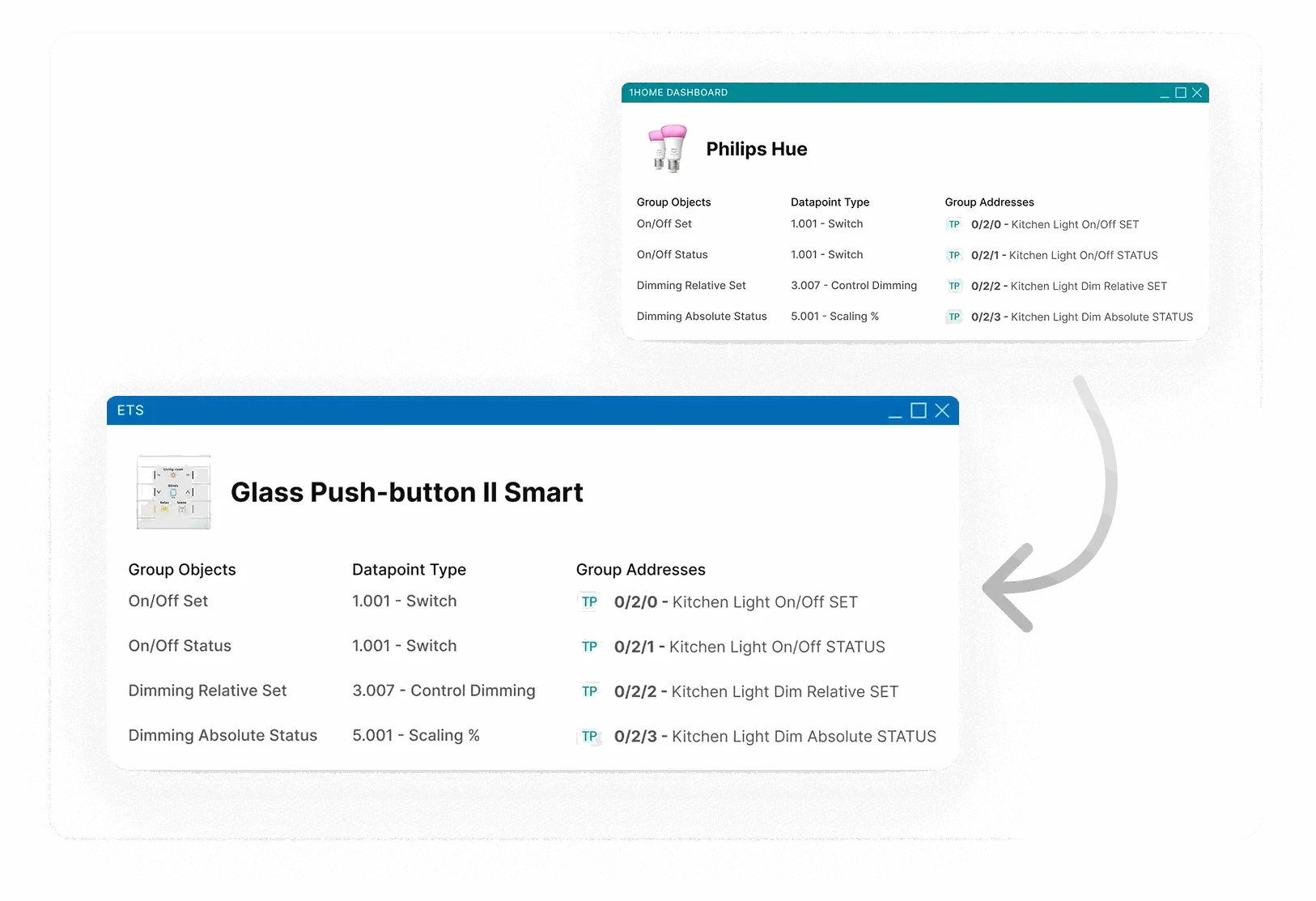
The 1Home dashboard mapping a Philips Hue light to group objects, linked in ETS to an MDT Glass Push-button II Smart
A Philips Hue light linked in ETS to an MDT Glass Push-button II Smart
  1. Scan the Matter QR codeThe device pairs to 1Home and appears in the 1Home Dashboard.
  2. Link group addresses in the 1Home DashboardUse group addresses defined in ETS and link them to the Matter device.
  3. Link them to a device in ETSAny push button, touch display, actuator or visualisation server on the system can use them.
  • System ManagerBuilt for integrators, with remote ETS programming, bus traffic monitoring and automations.
  • Server CHImports bus devices into Crestron Home through a Crestron driver.
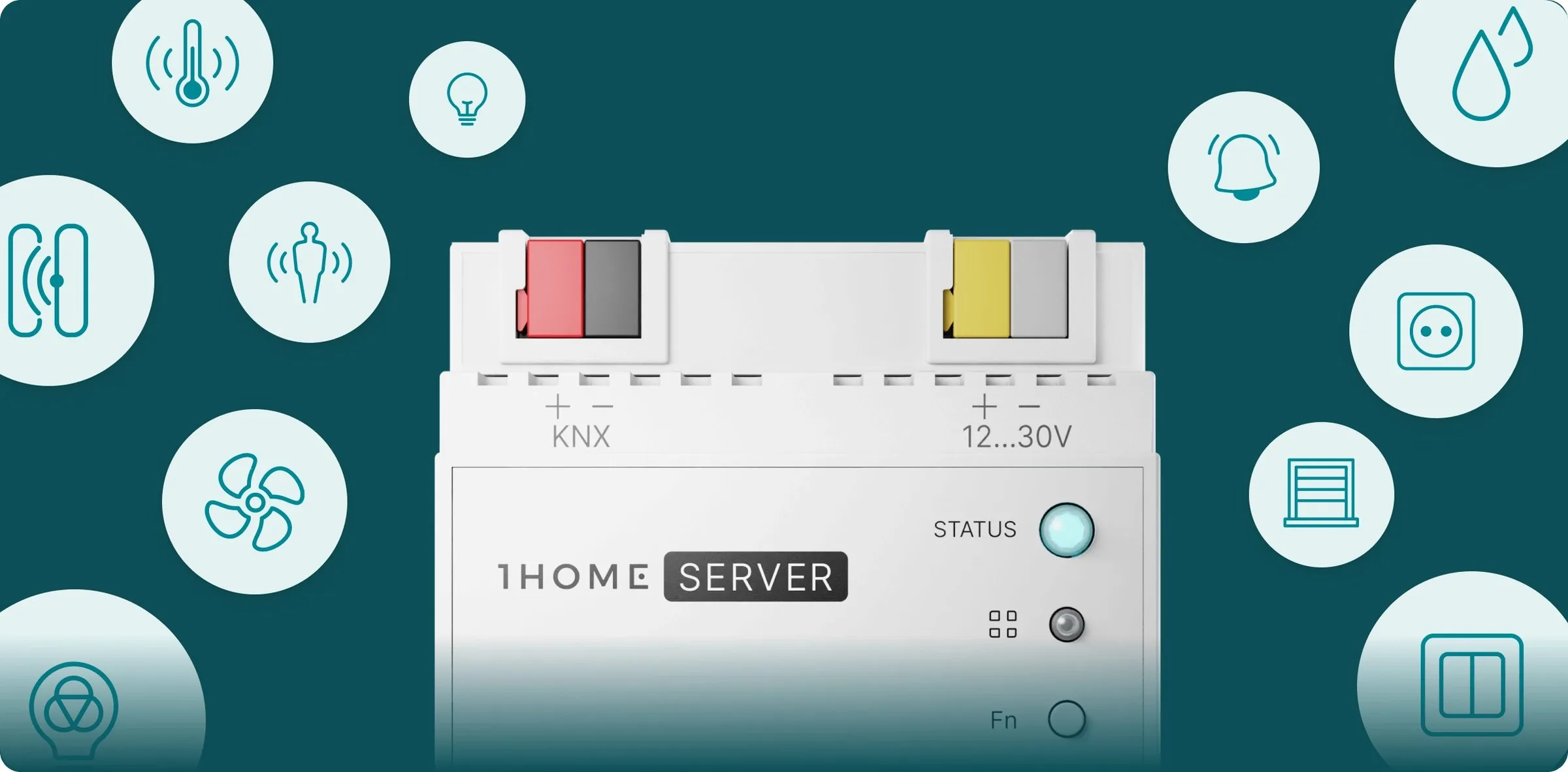
The top of a 1Home Server KNX Pro surrounded by smart-home device icons

Quick answers

Who makes 1Home?

1Home is made by 1Home Solutions GmbH. The company's registered office is in Berlin, Germany. It designs its own server hardware, and you set the devices up in a local web dashboard.

What does 1Home do?

1Home connects a building's existing KNX system, Matter devices and Crestron Home, and the system stays as it is. KNX reaches Apple Home, Google Home, Amazon Alexa, Samsung SmartThings and Home Assistant through Matter, and Crestron Home through Server KNX Pro or Server CH. It also works the other way. Matter devices such as Philips Hue lights get group addresses and are programmed in ETS like any other device on the system.

Which home apps work, and which need a hub?

Apple Home, Google Home, Amazon Alexa, Samsung SmartThings and Home Assistant all connect through the local Matter bridge, and each needs a hub. Apple accepts an Apple TV, HomePod or HomePod mini. Google accepts Google Home, Google Home Mini, Nest Mini, Nest Audio, Nest Hub, Nest Hub Max and Nest Wifi Pro. Alexa and SmartThings are in beta. Alexa is best under 50 devices, and Home Assistant suits small installations.

What is the difference between Server KNX Pro, Server CH and Voice & Visu?

Server KNX Pro is the full server. It takes up to 250 KNX devices to voice assistants and Matter apps, runs up to 150 automations, brings up to 100 Matter devices onto KNX, and adds Crestron Home and remote ETS programming. Server CH imports, controls and syncs KNX devices in Crestron Home, with the 1Home App, automations and remote ETS programming, but no voice assistants or Matter bridge. Voice & Visu covers voice control, Matter apps up to 250 devices and the 1Home App, without automations or remote ETS programming. To bring Matter devices onto KNX without Server KNX Pro, use the IoT Gateway.

Do I need internet?

Mostly no. The Server runs completely locally, except for automatic ETS device detection, and the link between the Server and your home hub stays on the local network. Voice control needs internet, and so does the Google Home app. Sonos control needs it too, because it uses the official Sonos Cloud API. Remote access while you are away also needs internet.

How do I enquire in India?

Morion Automation is the authorised distributor in India. Use Book a consultation, or write to info@morion.in.

Other brands

All brands

Contact

Specifying 1Home? We'd like to hear about the project.

Book a consultation

Or write to info@morion.in for catalogues and product information.